


N5 Net Software Repository
Your one-stop for all your software needs.
Search N5 Net Software Repository:
Search Files
Sponsor:
Browse:
- Audio & Multimedia (1621)
- Business (4269)
- Communications (1275)
- Desktop (188)
- Development (613)
- Education (177)
- Games & Entertainment (714)
- Graphic Apps (690)
- Home & Hobby (107)
- Network & Internet (577)
- Security & Privacy (529)
- Servers (65)
- System Utilities (11779)
- Web Development (292)
Areas Of Interest
Authors Area
Are you a software author? Take a look at our Author Resource Center where you will find marketing tools, software specifically created for promoting your software and a ton of other helpful resources.
Cigati Access Password Recovery 22.0
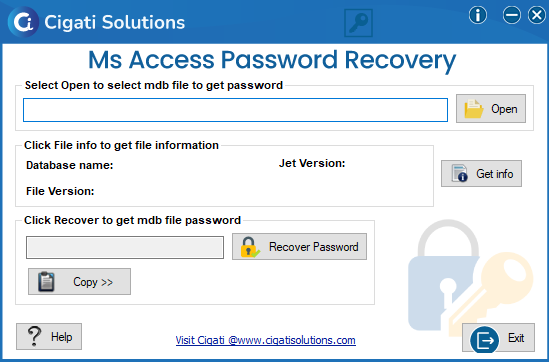
(Click to Enlarge)
One of the most advanced approaches to recover or unlock the password of MS Access Database is using Access Password Recovery Tool. This software has many advanced features which make the recovery process more convenient for the users and is Compatible with all Windows Versions 10, 8, 8.1, 8, 7, Vista, and other previous versions. Additionally, It supports the MDB files which are created on MS Access 2019, 2016, 2013, 2010, 2007, 2003, 2002, and 2000 versions of database passwords. It also facilitates you to recover the multilingual passwords of the protected MDB files and also ensures security in MS Access database (MDB) files. Users can also recover the password of highly Encrypted and Non-Encrypted MDB files. Moreover, this utility has also many multiple features like viewing the file information after attaching the files, allowing to Copy the restored passwords to the clipboard, and also Facilitates the entire collection of Access Database Versions. So if you want to analyze the performance of this utility, then first download the free version of this tool on your computer. After the successful installation, run the software on your computer. After that, click on the open button to browse the MDB files from your computer. Then, select the MDB file from your computer and click on the Open button. Furthermore, click on the Get info option to view the recovery properties of the file. Then, click on the Recover button to recover the password of the selected file. At last, click on the Copy to Clipboard option to copy the password on the clipboard. After accomplishing the above steps, you can recover or unlock the password of the MS Access Database effortlessly. Although this utility is easy to operate, a non-technical user can also perform it effectively.
Specifications:
Version: 22.0 |
Download
|

Similar Products:
SYSINFOTOOLS MDB PASSWORD RECOVERY 1.0
Security & Privacy :: Password Managers
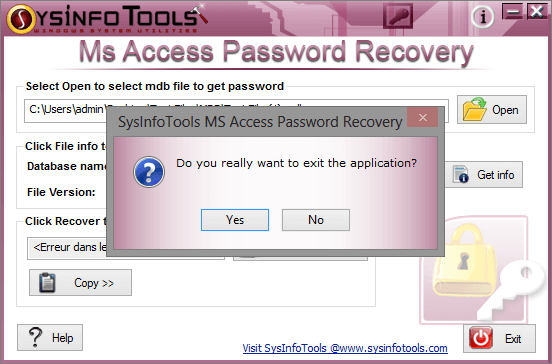 MS Access database password recovery from SysInfoTools is an application to recover lost or forgotten passwords of .mdb file of MS Access. MS Access database password recovery from SysInfoTools quickly recovers passwords irrespective of password length and complexity. Easy to use, no prior experience is required to use the software.
Windows | Shareware
Read More
Security & Privacy :: Password Managers
 Access Password Get can easily use to recover the password for all version of Microsoft Access database files. Access Password Get support to open multi Access files simultaneously.
Windows | Shareware
Read More
PASSWORD RECOVERY FOR MS ACCESS 1.0
Security & Privacy :: Password Managers
 Password Recovery by HXTT is a free toolkit for MS Access databases from 95, 97, 2000, XP, 2002, to 2003. MS Access uses underlying Jet Database Engine, which is used used in a variety of Microsoft products such as Money, Project, IIS, Exchange, and so on. That freeware can be used for those Jet database files too.
This program should work on any platform that supports Java.
Password Recovery by HXTT is a free toolkit for MS Access databases from 95, 97, 2000, XP, 2002, to 2003. MS Access uses underlying Jet Database Engine, which is used used in a variety of Microsoft products such as Money, Project, IIS, Exchange, and so on. That freeware can be used for those Jet database files too.
This program should work on any platform that supports Java.
Windows MAC Linux | Freeware
Read More