


N5 Net Software Repository
Your one-stop for all your software needs.
Search N5 Net Software Repository:
Search Files
Sponsor:
Browse:
- Audio & Multimedia (1615)
- Business (4233)
- Communications (1267)
- Desktop (186)
- Development (607)
- Education (176)
- Games & Entertainment (710)
- Graphic Apps (685)
- Home & Hobby (106)
- Network & Internet (575)
- Security & Privacy (527)
- Servers (64)
- System Utilities (11758)
- Web Development (287)
Areas Of Interest
Authors Area
Are you a software author? Take a look at our Author Resource Center where you will find marketing tools, software specifically created for promoting your software and a ton of other helpful resources.
Tablet Commander 2.2
System Utilities :: Launchers & Task Managers
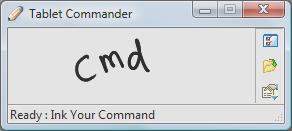
(Click to Enlarge)
Tablet Commander is a Tablet PC specific software helps you to efficiently use your Tablet PC. It helps you to Ink the short cuts for the commonly used programs and commands. Tablet Commander quickly execute applications with few Tablet flicks. Tablet Commander allows you to customize the shortcuts that you may used in a daily dasis. Features : * Add unlimited number of shortcuts. * Ink Windows command line programs or any other application directly that are not in Shortcuts just like you run applications in Run dialog. * Paste Custom Text to any application * Execute Multi Key short cuts in other applications (Like Ctrl+C , Alt+B etc) * Ability to write custom script for running applications, pasting text , executing multi key shortcuts * More than 100 ready to use shortcuts that saves you lot of time * Execute commonly used System operations with a single pen command. * Open almost all the System folders (Desktop, Recycle bin, Program Files etc), with a single pen command. * Consumes very less memory * Various options to customize to your own taste.
Specifications:
Version: 2.2 |
Download
|

Similar Products:
System Utilities :: Launchers & Task Managers
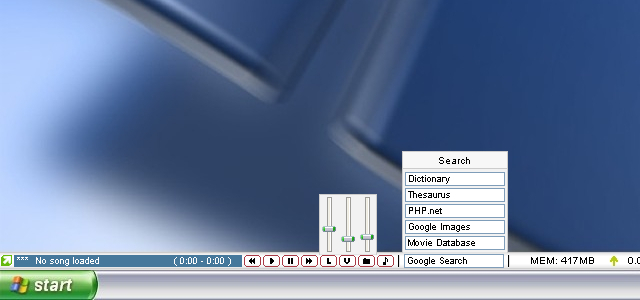 CustomBar is a bar that is always visible, much like the taskbar. Unlike the taskbar, you can place almost anything you want on it. This is accomplished through a scripting/plugin/skinning system that is powerful enough to create some basic apps in. C++ plugins can be used to further extend functionality. Standard features include Winamp controls, web search, volume controls, shortcuts, a mini notepad, system stats and much more. Fully skinnable.
Windows | Shareware
Read More
System Utilities :: Launchers & Task Managers
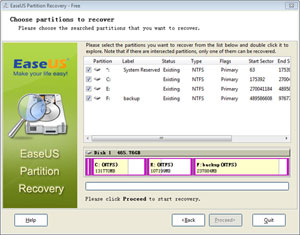 Partition recovery solution - EaseUS Partition Recovery is an easy-to-use partition recovery software to recover deleted or lost FAT, NTFS, Ext2/Ext3 partition in Windows 2000, XP, 2003, Vista, 2008, Windows 7. It offers several optional scan areas to locate the lost partitions quickly. Just by simple clicks, to recover lost partition with EaseUS Partition Recovery will be an easy job!
Windows | Demo
Read More
System Utilities :: Launchers & Task Managers
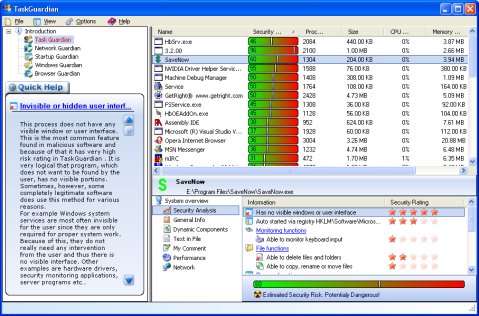 TaskGuardian is the arsenal of security tools designed to give you complete overview of what software is running on your system, in a comprehensible and easily understandable way. TaskGuardian includes advanced real-time process viewer with security analyzer, network connections viewer, startup and services manager, Windows folder scanner and browser plugin manager.
Windows | Shareware
Read More
System Utilities :: Launchers & Task Managers
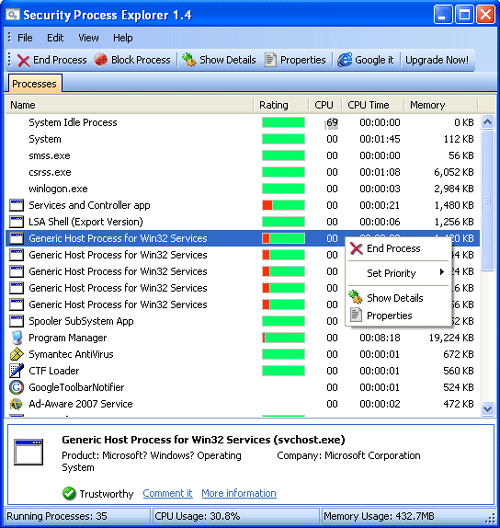 Security Process Explorer is an enhanced task manager, that provides advanced information about programs and processes running on the computer. It displays all the standard information, including file name, directory path, description, CPU usage etc. as well as a unique security risk rating. This rating is conclusive and relies on the expertise of the user to determine whether the process should be terminated or removed.
Windows | Freeware
Read More