


N5 Net Software Repository
Your one-stop for all your software needs.
Search N5 Net Software Repository:
Search Files
Sponsor:
Browse:
- Audio & Multimedia (1615)
- Business (4233)
- Communications (1267)
- Desktop (186)
- Development (607)
- Education (176)
- Games & Entertainment (710)
- Graphic Apps (685)
- Home & Hobby (106)
- Network & Internet (575)
- Security & Privacy (527)
- Servers (64)
- System Utilities (11758)
- Web Development (287)
Areas Of Interest
Authors Area
Are you a software author? Take a look at our Author Resource Center where you will find marketing tools, software specifically created for promoting your software and a ton of other helpful resources.
How to Import Contacts from Outlook to Lotus 6.4
System Utilities :: File & Disk Management
(Click to Enlarge)
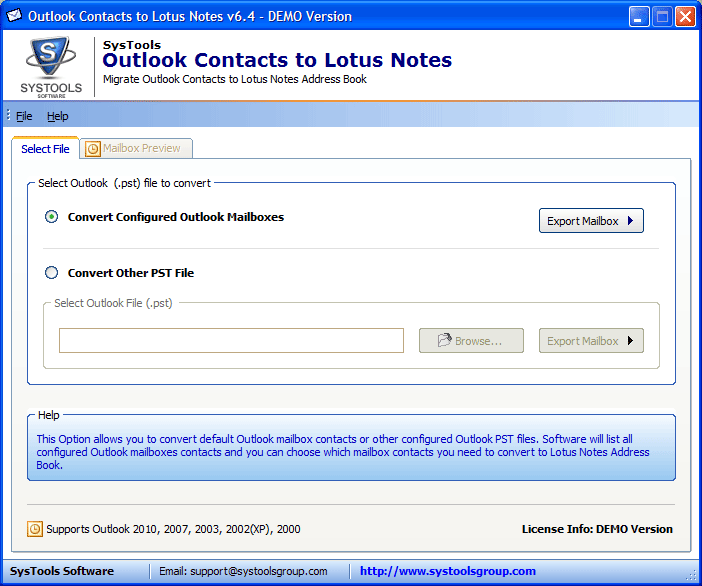
Outlook Contacts to Lotus Notes are one of the perfect utility for the users to import numbers of Outlook into Lotus Notes. Why waste money in a comprehensive tool? You can purchase Outlook Contacts to Lotus Notes tool; it is low priced & very high in excellence too. How to Import Contacts from Outlook to Lotus Notes? Perform the following steps: * Open Outlook Contacts to Lotus Notes software * Select your Outlook PST contacts file (configured or orphan) * Click the "Export Mailbox" button * See the mailbox preview * Select Outlook Mailbox and click the "Start Conversion" button * Save contacts (either to a new NSF file or an existing names.nsf file) * Appearance of the 'confirmation box' signifies completion of the Outlook to Notes contacts conversion process Software successfully runs with Windows Operating System Win7, Vista, XP, 2003, 2000, 98 and provides compatibility with MS Outlook 97, 98, 2000, 2003, 2007, 2010 and Lotus Notes 8.0, 7.0, 6.5, 5.5, 5.0. Affords you with the benefit to first getting familiar and properly acquainted with its Outlook Contacts to Lotus Notes Utility before purchasing it. Demo version can be easily downloaded online totally FREE of cost. It will let you convert only 10 contacts from PST to Lotus Notes. After you get satisfied with this FREE version, you can go on to buy the Full version. Import Contacts from Outlook to Lotus Notes completely using the FULL version of Outlook Contacts to Lotus Notes application. Personal license is ONLY for $79. If you face any problem while performing PST to Names.nsf conversion or if you have any doubt regarding the software, its purchase, its use, its features or any such thing, then there is an active and talented support team that will answer your queries instantly.
Specifications:
Version: 6.4 |
Download
|

Similar Products:
TOOLSBAER OST TO PST MIGRATION TOOL 2.0
System Utilities :: File & Disk Management
 MS Outlook is most popular email-client which creates OST and PST file but some time OST file get unreadable and inaccessible in this situation user need to convert OST into PST data file without disturbing data hierarchy. You can see the preview before the conversion process then save the data into PST file format along with email, inbox, outbox, sent-items, deleted-items, drafts, contacts, calendars, notes (to, cc, bcc, subject, date and time)
Windows | Shareware
Read More
REPAIR OST FILE TO PST FREE 8.0
System Utilities :: File & Disk Management
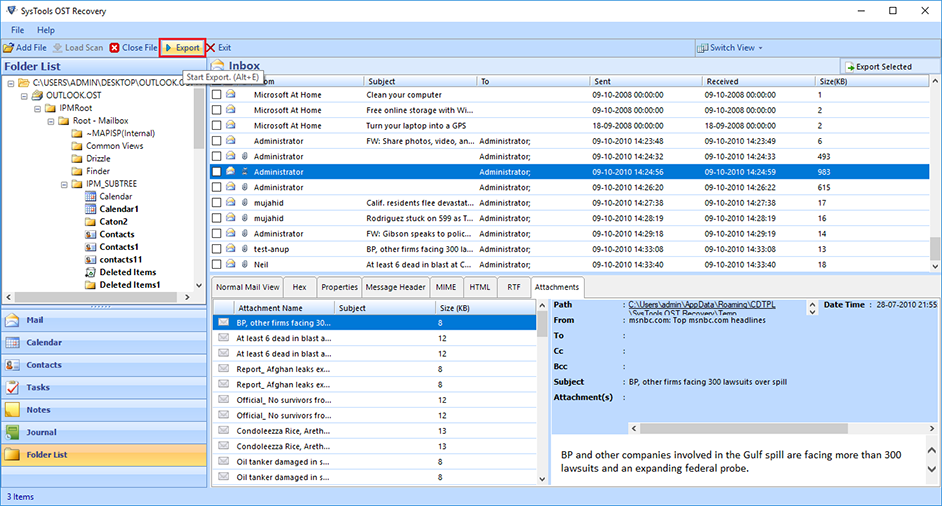 Outlook OST Repair eliminates all corruption of OST files from the scanning process. The tool has two modes: fast or advanced scan. By default, repair Outlook software to OST in a quick scan, but if your data is severely damaged. Ost database, advanced scan is the best. If OST files get damaged due to unexpected errors, repair OST file to PST free. Software Exchange 2010 Repair OST Process useful.
Windows | Shareware
Read More
FILE HASH GENERATOR FREE 5.0.132
System Utilities :: File & Disk Management
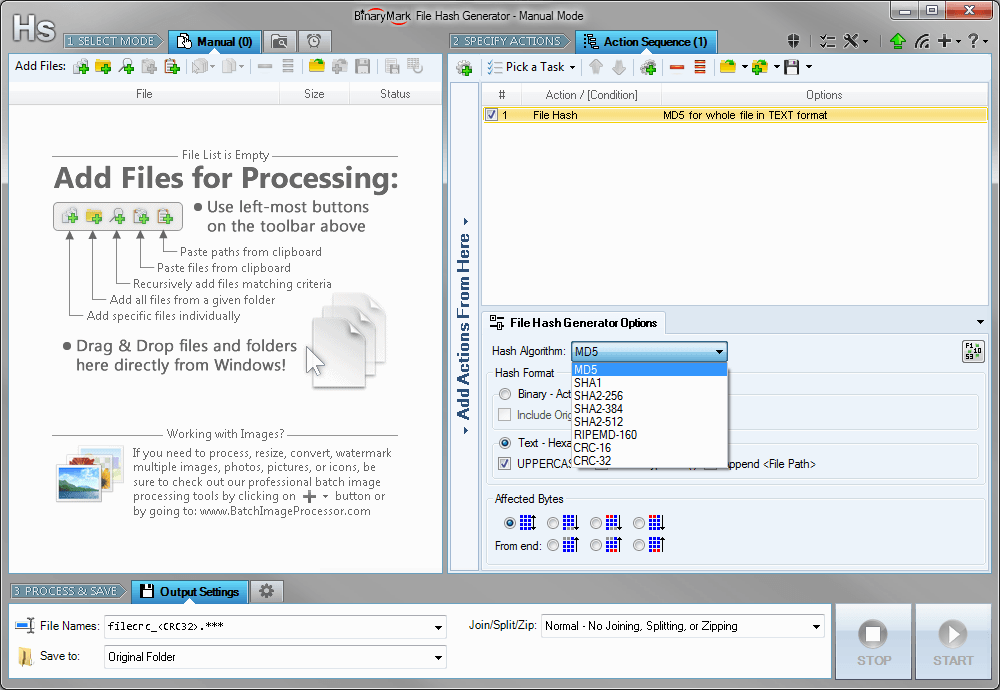 Compute and save MD5, SHA1, SHA2, RIPEMD hashes and CRC16/32 checksums for multiple files! Calculate hashes and checksums for the whole file or just specified bytes. Insert hashes into files in text or binary form. Generate file list with hashes in specified format and save it to a file. Rename files and include hashes in file name.
Windows | Shareware
Read More
System Utilities :: File & Disk Management
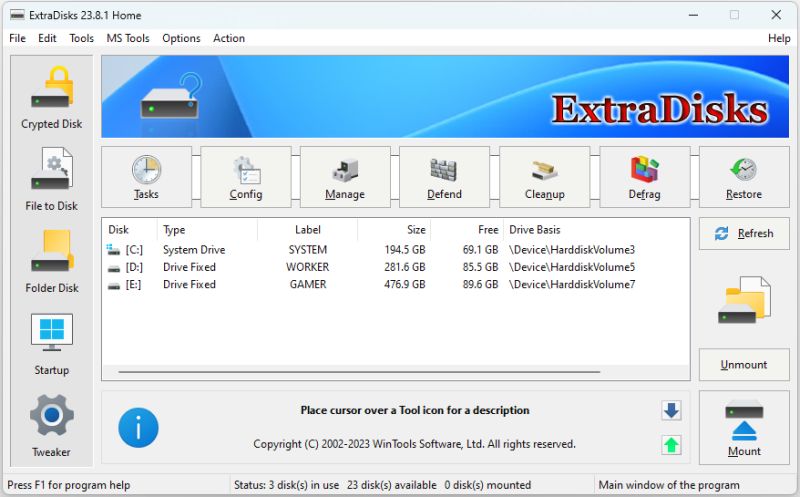 ExtraDisks is a suite of tools for creating Virtual disks on your computer - physical drives remain unchanged and are not divided into additional partitions. The program contains tools for creating Encrypted disks, Virtual disks based on files and Virtual disks based on folders. The current version consists of the following tools: Encrypted Disks, Virtual Disks, Folder Disks, Startup Manager, System Tweaker.
Windows | Shareware
Read More