


N5 Net Software Repository
Your one-stop for all your software needs.
Search N5 Net Software Repository:
Search Files
Sponsor:
Browse:
- Audio & Multimedia (1621)
- Business (4269)
- Communications (1275)
- Desktop (188)
- Development (613)
- Education (177)
- Games & Entertainment (714)
- Graphic Apps (690)
- Home & Hobby (107)
- Network & Internet (577)
- Security & Privacy (529)
- Servers (65)
- System Utilities (11779)
- Web Development (292)
Areas Of Interest
Authors Area
Are you a software author? Take a look at our Author Resource Center where you will find marketing tools, software specifically created for promoting your software and a ton of other helpful resources.
PDF Toolbox Command Line 2.0
Business :: Office Suites & Tools

(Click to Enlarge)
Combine, encrypt, compress, split PDF and much more. VeryPDF PDF Toolbox Command Line does merge, split, encrypt and process PDF document by command line. VeryPDF PDF Toolbox Shell is a useful PDF process terminal program for Windows, Linux and Mac systems. It can merge, split, remove page, export page, encrypt, fill form, edit description information of PDF, and even repair damaged PDF. Because it is a terminal based program, it is easy to perform batch process within shell script. VeryPDF PDF Toolbox Command Line, http://www.verypdf.com/app/pdftoolbox/index.html VeryPDF PDF Toolbox Shell for Mac, http://www.verypdf.com/app/pdftoolbox/mac.html VeryPDF PDF Toolbox Shell for Linux, http://www.verypdf.com/app/pdftoolbox/linux.html VeryPDF PDF Toolbox Command Line is a great PDF processing tool in Windows system. It is able to deal with most PDF operations by command line. Primarily, it can merge, split, encrypt, fill PDF form, edit PDF description information, and optimize PDF. It has many flexible options to implement various functions. PDF Toolbox provides a set of utility functions for better working with PDF files. It lets you easily combine multiple PDF files into one, extract or insert pages, protect your PDF files with password and restrictions, compress your PDF files to smaller file size, or even adjust your PDF with preset color filters. Features of VeryPDF PDF Toolbox Command Line: * No need for other PDF editing software. * Command line option appropriate for batch process. * Merge PDF. * Split PDF. * Remove or extract page from PDF. * Fill form PDF with FDF file. * Add watermark or stamp to PDF. * Export or edit PDF description information. * Attach file to PDF. * Remove attached file from PDF. * Compress stream object of PDF. * Remove PDF password. * Encrypt PDF with password. * Repair damaged PDF. * Watermark an existing PDF. * Write a letter using your own PDF template. * Change the properties of an existing PDF.
Specifications:
Version: 2.0 |
Download
|

Similar Products:
FREE TEXT TO PDF CONVERTER (CONVERT TEXT TO PDF FR 1.5
::
 Text To PDF Converter is a free program that can be used to convert plain text file to PDF file, it doesn't depend on the Acrobat or Acrobat Reader application, it supports command line operation, you can call it from other applications to convert your text files to PDF files on the fly. It converts old txt, text, textual report to nice PDF file (form, invoice, report, sale sheet) on all Windows Systems.
Windows | Shareware
Read More
OCR TO ANY CONVERTER COMMAND LINE 6.1
Business :: Office Suites & Tools
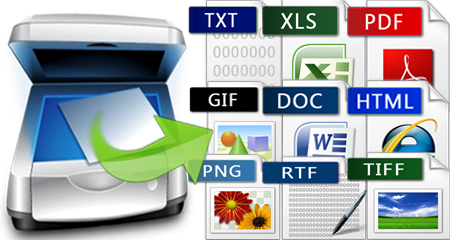 VeryPDF OCR to Any Converter Command Line is a Windows Command Line (Console) application which can be used to batch convert scanned PDF, TIFF and Image files (JPEG, JPG, PNG, BMP, GIF, PCX, TGA, PBM, PNM, PPM) to editable Word, Excel, CSV, HTML, TXT, Pure Text Layer PDF, Invisible Text Layer PDF, etc. formats. OCR to Any Converter Command Line includes a great Table Recovery Engine, all table contents in scanned PDF can be recognized as table.
Windows | Shareware
Read More
PDF TO IMAGE CONVERTER COMMAND LINE 3.0
Business :: Office Suites & Tools
 VeryPDF PDF to Image Converter Command Line is a cross-platform program that is developed for converting PDF to image. It has three versions for Windows, Mac OS X and Linux. The program can convert PDF to TIFF, JPEG, GIF, PNG, BMP, PCX, TGA, PBM, PGM, and PPM. It also supports options to set the resolution, size, and color depth. For JPEG output, it can set the image quality to control the file storage. For TIFF output, it supports multipage TIFF
Windows | Shareware
Read More
Graphic Apps :: Converters & Optimizers
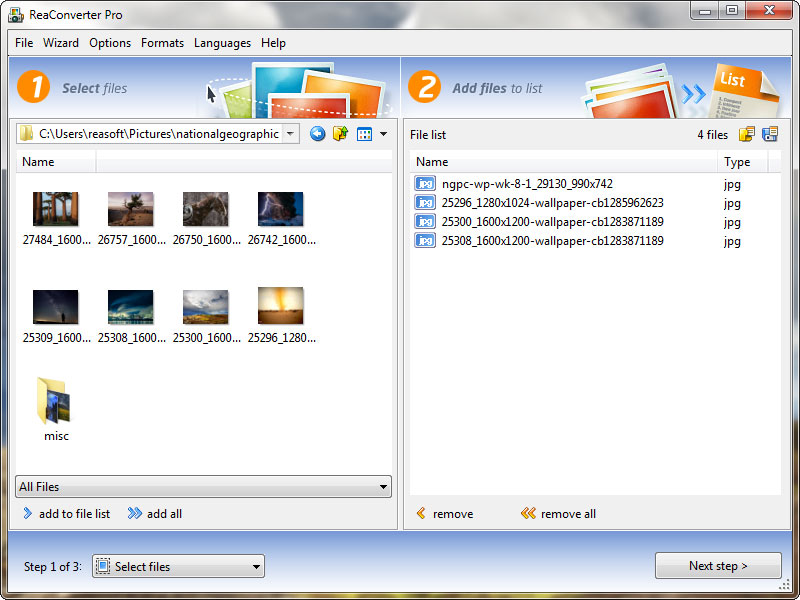 Powerful Windows application that makes it easy to touch up, transform, apply effects, and rename hundreds of photos as well as convert image files from 400+ formats in a single operation. ReaConverter 5.5 supports both single and batch mode image conversion. Combination of simple interface with wide range of various functions provides a lot of opportunities to amateurs as well as professionals in photo editing.
Windows | Shareware
Read More