


N5 Net Software Repository
Your one-stop for all your software needs.
Search N5 Net Software Repository:
Search Files
Sponsor:
Browse:
- Audio & Multimedia (1621)
- Business (4269)
- Communications (1275)
- Desktop (188)
- Development (613)
- Education (177)
- Games & Entertainment (714)
- Graphic Apps (690)
- Home & Hobby (107)
- Network & Internet (577)
- Security & Privacy (529)
- Servers (65)
- System Utilities (11779)
- Web Development (292)
Areas Of Interest
Authors Area
Are you a software author? Take a look at our Author Resource Center where you will find marketing tools, software specifically created for promoting your software and a ton of other helpful resources.
e-PDF Document Converter 2.1
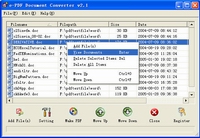
(Click to Enlarge)
e-PDF Document Converter is a software product that dynamically converts MS Office 97/2000/XP/2003, WordPerfect, HTML, AutoCAD DWG, PostScript and many other document types to PDF, PostScript, PDF, JPEG, TIFF, PNG, PCX and BMP etc formats. It works in both GUI version and Command Line version. With e-PDF Document Converter you can convert your documents from and to PDF files easily. It converts Microsoft Word, Excel, PowerPoint, AutoCAD drawings, e-mail to PDF files. Key features: 1. e-PDF Document Converter supports create PDF files from any Windows application that supports printing; 2. e-PDF Document Converter converts Microsoft Word, Excel, PowerPoint, AutoCAD drawings, e-mail to PDF files; 3. e-PDF Document Converter supports Font embedding, resolution and image compression; 4. e-PDF Document Converter supports user defined page sizes; 5. e-PDF Document Converter supports auto open PDF file after creation; 6. e-PDF Document Converter supports Asian language characters; 7. e-PDF Document Converter supports hyperlink; 8. e-PDF Document Converter does NOT need Adobe Acrobat software; 9. e-PDF Document Converter supports single file process, single directory process, multi-level directory process and many other process way; 10. e-PDF Document Converter supports password protection for PDF files with 40 or 128 bit encryption; 11. e-PDF Document Converter supports set file permissions to restrict printing, copying, and future modifications to the document; 12. e-PDF Document Converter supports set the document title, subject, author and keywords; 13. e-PDF Document Converter supports monitor multiple directories; 14. e-PDF Document Converter supports batch convert document files to PDF files; 15. e-PDF Document Converter supports wildcard character, for example: *.doc, a*.rtf, etc; 16. e-PDF Document Converter supports command line operation;
Specifications:
Version: 2.1 |
Download
|

Similar Products:
Security & Privacy :: Encryption Tools
 Download Unlock PDF files to Unlock PDF documents security. This is an advanced tool to Unlock PDF security and helps users to unlock PDF documents. Just Download Free version for testing and unlock PDF files easily and remove all restrictions from secured PDF documents.
Windows | Shareware
Read More
WINDOWS LIVE MAIL CONVERT TO .PDF 8.0.5
System Utilities :: File & Disk Management
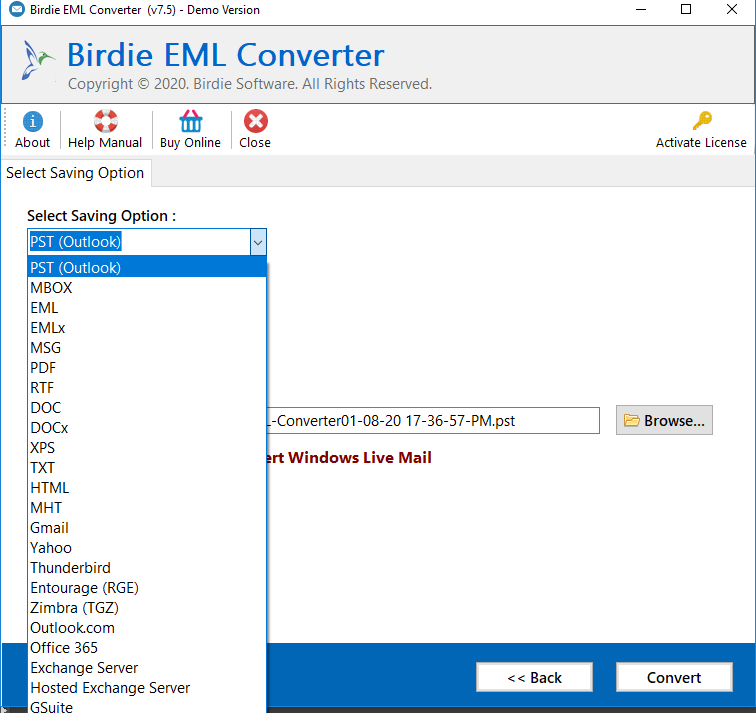 Use Windows Live Mail Convert to .PDF with Windows Live Mail to PDF Converter tool. The Software is prepared to accomplish Windows Live Mail Convert to .PDF with all emails information like emails header, formatting, hyperlinks, attachments, etc. You can save email attachments with or apart from EML file folder. Batch conversion of Windows Live Mail emails is also allowed.
Windows | Shareware
Read More
::
 PDF to HTML Converter is an easy to use software for quickly and easily converting Adobe Portable Document Format (PDF) documents into HTML files. PDF to HTML provides all the power to convert sophisticated PDF documents, by remaining all the text layout, along with the coordinate, color, style of every object.
PDF To HTML supports batch PDF to HTML conversion; PDF To HTML supports command line; PDF to HTML is a stand-alone application.
PDF to HTML Converter is an easy to use software for quickly and easily converting Adobe Portable Document Format (PDF) documents into HTML files. PDF to HTML provides all the power to convert sophisticated PDF documents, by remaining all the text layout, along with the coordinate, color, style of every object.
PDF To HTML supports batch PDF to HTML conversion; PDF To HTML supports command line; PDF to HTML is a stand-alone application.
Windows | Shareware
Read More
PDF EXTRACT TIFF (CONVERT PDF TO TIFF) 2.0
::
 PDF Extract TIFF software is a simple and affordable extraction tool that facilitates the reuse of PDF files by enabling you to extract images from PDF files and save them as TIFF images. You can then use or edit the images in other Windows applications such as MS Word, Adobe Photoshop, or any other image enhancement/manipulation program.
Windows | Shareware
Read More