


N5 Net Software Repository
Your one-stop for all your software needs.
Search N5 Net Software Repository:
Search Files
Sponsor:
Browse:
- Audio & Multimedia (1621)
- Business (4269)
- Communications (1275)
- Desktop (188)
- Development (613)
- Education (177)
- Games & Entertainment (714)
- Graphic Apps (690)
- Home & Hobby (107)
- Network & Internet (577)
- Security & Privacy (529)
- Servers (65)
- System Utilities (11779)
- Web Development (292)
Areas Of Interest
Authors Area
Are you a software author? Take a look at our Author Resource Center where you will find marketing tools, software specifically created for promoting your software and a ton of other helpful resources.
Exchange Server Backup and Restore Tool 23.09
System Utilities :: Backup & Restore
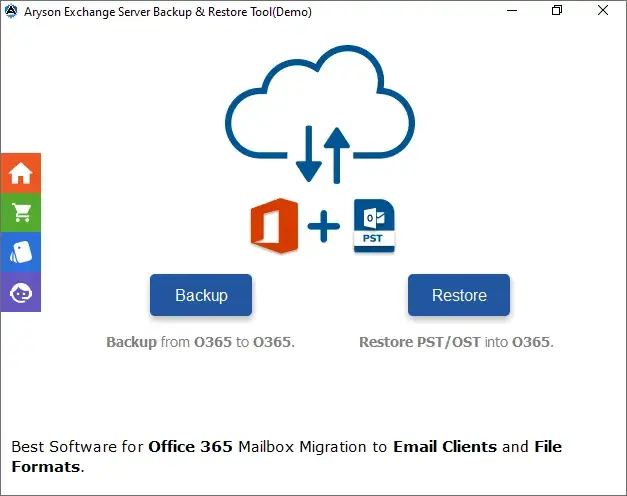
(Click to Enlarge)
The Exchange Server Backup & Restore tool is the most straightforward and accurate tool which is launched to take backup of Exchange Server mailboxes to numerous file formats such as MBOX, EML, PDF, PST, and CSV without changing the content. It has the ability to restore the OST and PST file formats emails into the Exchange Server online. Also, it can easily migrate the Exchange Server data to Office 365( Mailbox, Online Archive, Public Folder), G Suite, and IMAP without any trouble. This software includes the option to eliminate all duplicate emails from the Exchange Server throughout the conversion process. Along with this, the users can easily take backup of their Exchange Server emails to multiple file formats without their attachment items. Similarly, if the users do not want to save their Exchange Server emails to other file formats then they can take backups as per their selected starting and ending dates by using the data filter feature. Moreover, this professional software is widely compatible with all Windows Operating System versions for instance Windows 11, 10, 8.1, 8, 7, Vista, and XP. To take backup of Exchange Server mailboxes follow the below process. 1. Firstly, Download, Install, and run the Exchange Server Backup & Restore Tool. 2. Then, Select Back up from the Backup or Restore option. 3. After that, Mention the User ID of Exchange and click on the Sign In button. Now, pick the user accounts that you wish to take back up. 4. Next, Verify the folders that you need from the displayed tree structure and hit on the Next. 5. Pick the saving options such as G Suite, PST, and so on., and other in-built features. 6. Lastly, Tap on the Convert button to start the backup process of Exchange Server Mailboxes.
Specifications:
Version: 23.09 |
Download
|

Similar Products:
RECOVERYFIX FOR EXCHANGE SERVER RECOVERY 13.08
Servers :: Mail Servers
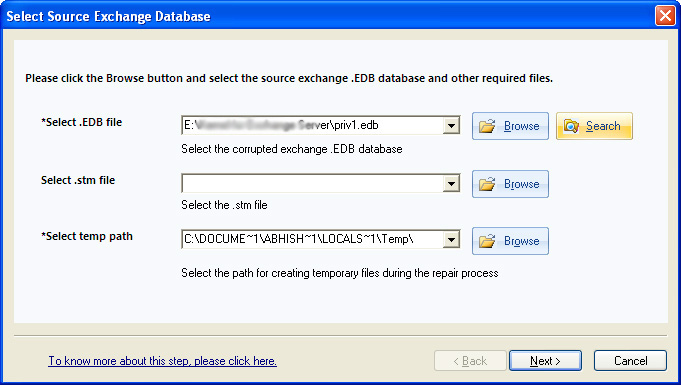 RecoveryFix for Exchange Server repairs severely corrupt mailboxes and puts recovered data into PST format or a new EDB file. Software helps to resolve dirty shutdown situations and bring back corrupt EDB file into consistent state. Application also recovers mailbox items that have been permanently deleted i.e. deleted even from ?Deleted Items? folder.
Windows | Shareware
Read More
KERNEL OST TO PST CONVERSION SOFTWARE 15.9
Communications :: E-Mail Clients
 Get the licensed version of Kernel OST to PST Conversion Software that can flawlessly repair OST files that are obtained from upgrade Exchange Server 2016 version. The software is incorporated with intuitive email filters that eases the conversion of specific OST email items into the PST format file. Furthermore, the software has feature-rich functionalities like Search option that finds required OST files from the specific hard drive partition.
Windows | Shareware
Read More
HOW TO REPAIR EXCHANGE BACKUP FILE 2.0
System Utilities :: Backup & Restore
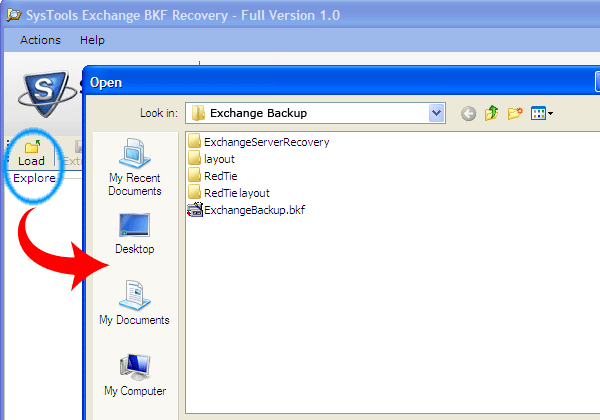 How to Repair Exchange Backup File program helps is recovering exchange backup file stored your all database in three format like EDB file (emails with attachments, file and folder etc.), STM file (streaming media like music, movies etc), LOG file (data and time of sending/receiving mail). Now you can recover bulk backup file without any problem.
Windows | Shareware
Read More