


N5 Net Software Repository
Your one-stop for all your software needs.
Search N5 Net Software Repository:
Search Files
Sponsor:
Browse:
- Audio & Multimedia (1621)
- Business (4269)
- Communications (1275)
- Desktop (188)
- Development (613)
- Education (177)
- Games & Entertainment (714)
- Graphic Apps (690)
- Home & Hobby (107)
- Network & Internet (577)
- Security & Privacy (529)
- Servers (65)
- System Utilities (11779)
- Web Development (292)
Areas Of Interest
Authors Area
Are you a software author? Take a look at our Author Resource Center where you will find marketing tools, software specifically created for promoting your software and a ton of other helpful resources.
Business Barcode Maker Software 5.5.1.2
Business :: Inventory & Barcoding
(Click to Enlarge)
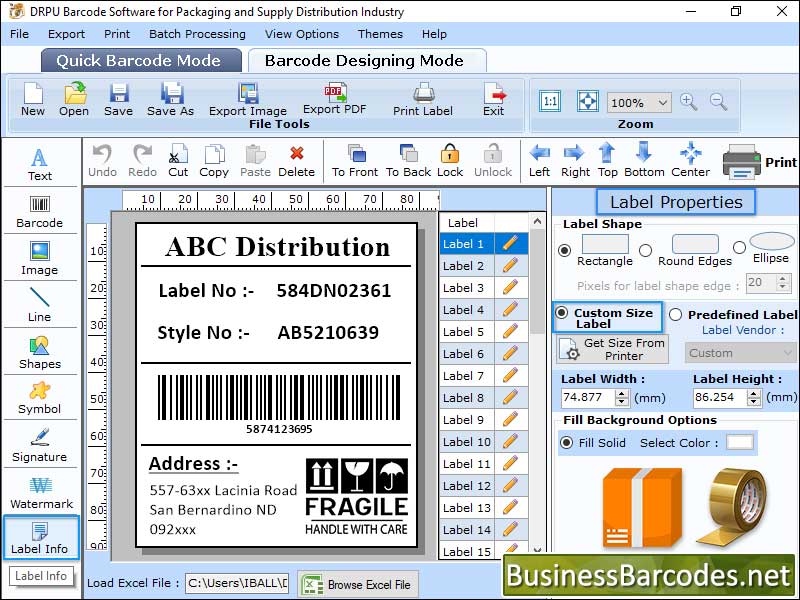
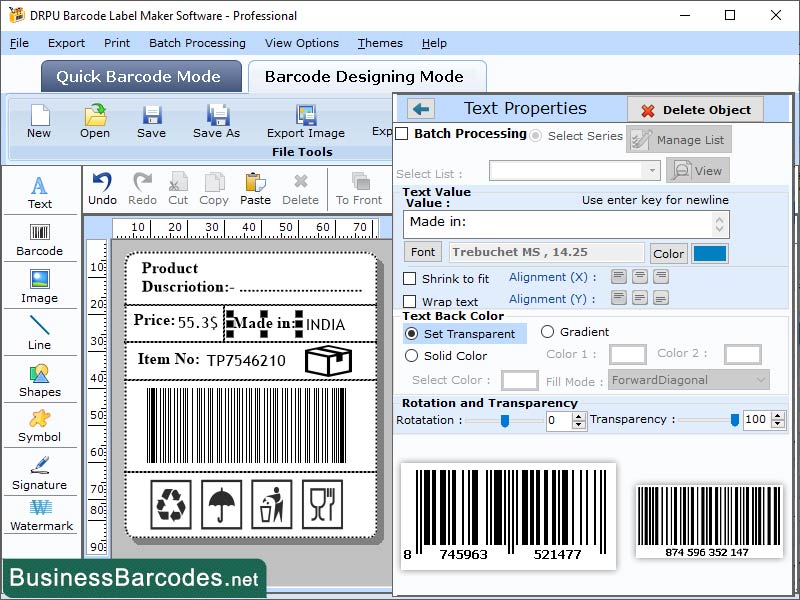
Barcode software Create labels, coupons, pictures, stickers, tags, and linear and 2D barcodes in a variety of sizes and forms to satisfy industry-specific requirements. How to generate Linear Barcodes using PDF417 Font? *To generate Linear Barcodes with PDF417 Font symbology, simply click on the barcode setting option and then select the Linear barcode font and PDF417 symbology To build a customized Linear barcode label using the PDF417 barcode fonts, enter the details in the fields Barcode Value, Composite Data, Hide Barcode Header, Show Barcode Value in Top, Bar Height (in cm), and X Dimension. Use the following tabs to adjust the produced barcode image settings: - By using "Settings," you can adjust the margins for the header and footer, left and right, top and bottom, and character grouping, among other things. Change the colour of the barcode, its background, its header and footer, etc. by using the "Colour Settings" feature. By utilizing "Image Settings," Choose Orientation, Image DPI, Bitmap, or Resolution Independent Metafile. *Select Barcode Designing Mode to modify the properties of the label - Select the Label Properties tab to define the label shape, which includes rectangle, round edges, and ellipse. Adjust the label's height and width to suit the situation. There are two ways to select the image path: either by library or by utilizing the Fill Background option to browse an image from your PC. Using the Image Processing Tab, adjust the image's brightness, contrast, and hue. * Turn on the print mode and adjust the other printing parameters as displayed on the Barcode Software screen- Print Mode: To print barcodes, select the manual option. Choose the Label Product and product number when in the Pre-Define Label Stock mode. Page attributes: Change the page orientation, size, and print settings in manual mode (Microsoft Print to PDF, Microsoft XPS Document Writer). Add more details such as the print range, label spacing, and page margins.
Specifications:
Version: 5.5.1.2 |
Download
|

Similar Products:
STANDARD BUSINESS BARCODE LABEL TOOL 2.5.9
Business :: Inventory & Barcoding
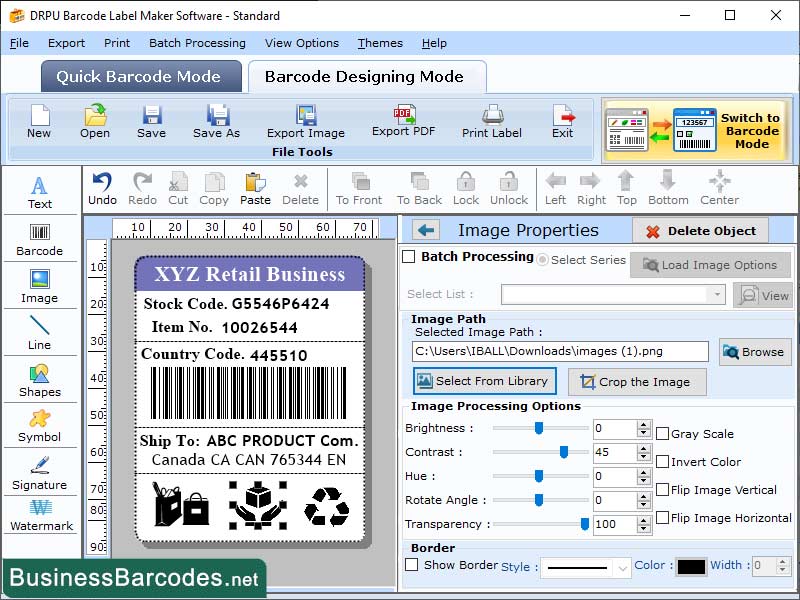 Business barcode standard edition software can support various linear and two-dimensional barcodefonts likeCoda Bar, Code 11, Code 128, Code 128 SET A, Code 128 SET B, Code 128 SET C, Code 39, Code 93, Code 39 Full ASCII, EAN13, EAN8, Industrial 2 of 5, Interleaved 2 of 5, ISBN 13, ITF-14, LOGMARS, MSI Plessey, Planet, Post Net, UPCE, UPCA, USS-93, UCC/EAN-128as well asDatabar UPCA, Databar UPCE, DataMatrix, MaxiCode, PDF417, QR Code, MICR.
Windows | Shareware
Read More
UPC BARCODE MAKER APPLICATION 10.6
Business :: Inventory & Barcoding
 Barcode maker applications' computer compatibility and performance can vary depending on the specific program and version. In general, barcode generator software should be optimized for the latest windows OS and maintain backward compatibility with older versions. However, it is advisable to verify the system requirements before purchasing or installing barcode software to ensure it is fully compatible with your Windows version.
Windows | Shareware
Read More
BARCODE INVENTORY SYSTEM 7.6.2.3
Business :: Inventory & Barcoding
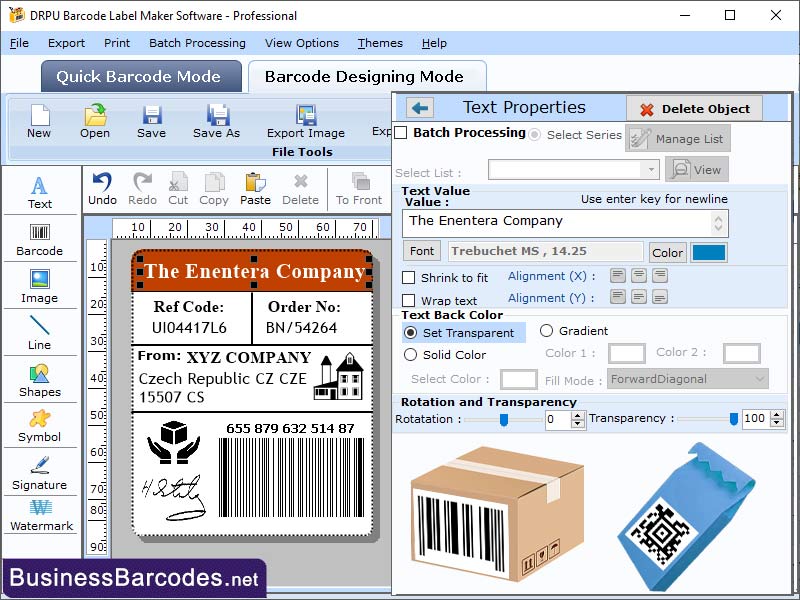 Barcode labeling system automates tasks in complex businesses by scanning SKUs, updating inventory control records in seconds, eliminating the need for spreadsheets. Barcodes are useful only after products are labeled and scanned using a scanner that reflects light onto the barcode, allowing the sensor to distinguish between black and white spaces. Bar coding technology are use to improve efficiency and productivity of the inventory system.
Windows | Shareware
Read More
PACKAGING BARCODE LABEL SOFTWARE 3.8.5.2
Business :: Inventory & Barcoding
 Barcode is a unique identifier code assigned to packages and parcels by a courier company to help track and manage the items as they move through the delivery system.Barcodescanner tool contains information such as the sender's address, the recipient's address, and the tracking number. Barcode Scanner scans the product and sends information to a company database.Barcode scanner tool can retrieve this information by scanning the barcode.
Windows | Shareware
Read More