


N5 Net Software Repository
Your one-stop for all your software needs.
Search N5 Net Software Repository:
Search Files
Sponsor:
Browse:
- Audio & Multimedia (1621)
- Business (4269)
- Communications (1275)
- Desktop (188)
- Development (613)
- Education (177)
- Games & Entertainment (714)
- Graphic Apps (690)
- Home & Hobby (107)
- Network & Internet (577)
- Security & Privacy (529)
- Servers (65)
- System Utilities (11779)
- Web Development (292)
Areas Of Interest
Authors Area
Are you a software author? Take a look at our Author Resource Center where you will find marketing tools, software specifically created for promoting your software and a ton of other helpful resources.
Xilisoft Audio Converter Pro for mac 6.5.2.20140217
Audio & Multimedia :: Video Tools
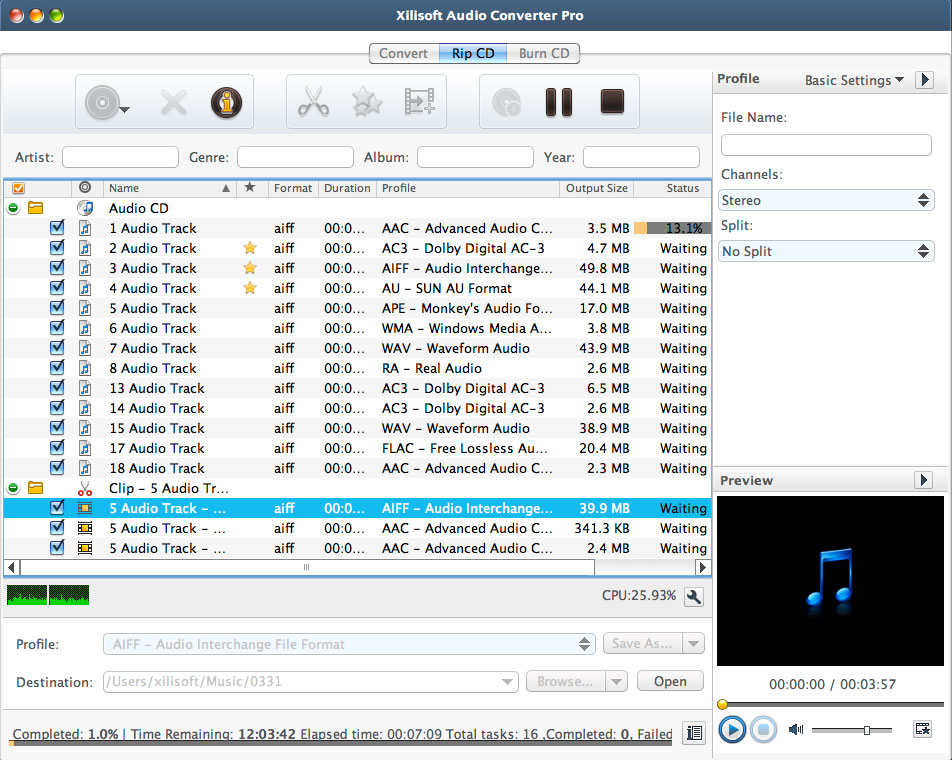
(Click to Enlarge)
Xilisoft Audio Converter Pro for mac is an all-in-one professional audio converter for audio conversion, audio extraction, audio CD ripping and making, with which you can convert between different audio formats including MP3, WMA, WAV, AAC, FLAC, OGG, APE, extract audio from video formats such as AVI, MPEG, WMV, MP4, FLV, MKV, H.264/MPEG-4 AVC, AVCHD, rip music CD to different audio formats, and create music CD from video/audio files. New features: 1.Support display and edit ID3 V2 information (users can attach cover, lyric and etc information for the music file). 2.Add more profiles. 3.Retrieve general information of CDs. 4.Utilize installer to reduce the installation time. Features: 1.Convert between popular audio formats including MP3, WMA, WAV, AAC, FLAC, OGG, APE. 2.Extract audio from general and HD video files including AVI, MPEG, WMV, MP4, FLV, MKV, H.264/MPEG-4 AVC, AVCHD. 3.Rip audio CD to popular audio formats. 4.Burn audio CD from popular audio and video formats. 5.Allows you to add and adjust lots of audio effects: fade-in, fade-out, volume normalize, band pass, chorus, flanger, echo and speed before converting audio and ripping CD. 6.Convert a single audio file or CD track to various formats simultaneously. 7.Split your audio tracks according to size or duration, or customize the split prior to converting or ripping. 8.Clip multiple segments from the source file. 9.Set a range of parameters to customize your audio output, edit ID3 tag info of your audio tracks. 10.Helps you transfer files to your iPod, iPhone and PSP directly after converting or ripping. 11.Processes files with multiple CPU cores and multiple threads for maximum audio conversion and ripping speed. 12.Auto-exit the application, shut down, hibernate, stand by system, or do nothing after conversion, ripping, or burning to keep you from waiting in front your computer. 13.It comes with English, German, Spanish, French, Japanese, and Chinese interface languages.
Specifications:
Version: 6.5.2.20140217 |
Download
|

Similar Products:
TIPARD SCREEN CAPTURE FOR MAC 1.1.52
Audio & Multimedia :: Video Tools
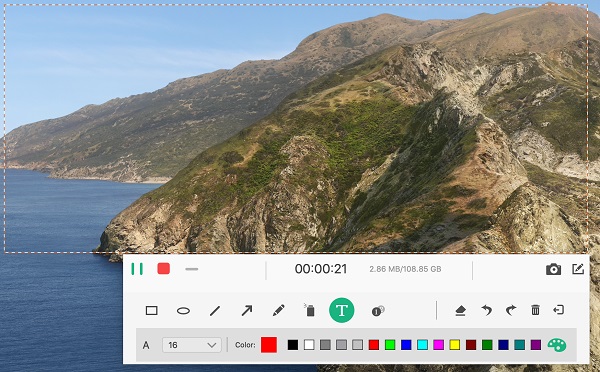 Tipard Screen Capture for Mac can record screen, video, audio on your Mac. It allows you to choose the screen size like full screen and customized size. You can also select the specific area to record. Meanwhile, you can choose the system audio or microphone audio according to your needs. Apart from that, it owns cursor options for you to choose like highlight cursor or clicks or both of them.
MAC | Shareware
Read More
DISCOVERY PLUS PLUS DOWNLOADER 5.0.1.8
Audio & Multimedia :: Video Tools
 Download Discovery Plus videos in up to 1080p quality and AAC 2.0 audio track to stream offline.Download subtitles in SRT files or remux them directly into the video,make full use of Batch mode and fast speed feature,get metadata information downloaded.
Windows MAC | Shareware
Read More
VIDEOPAD FREE VIDEO EDITOR FOR MAC 17.57
Audio & Multimedia :: Video Tools
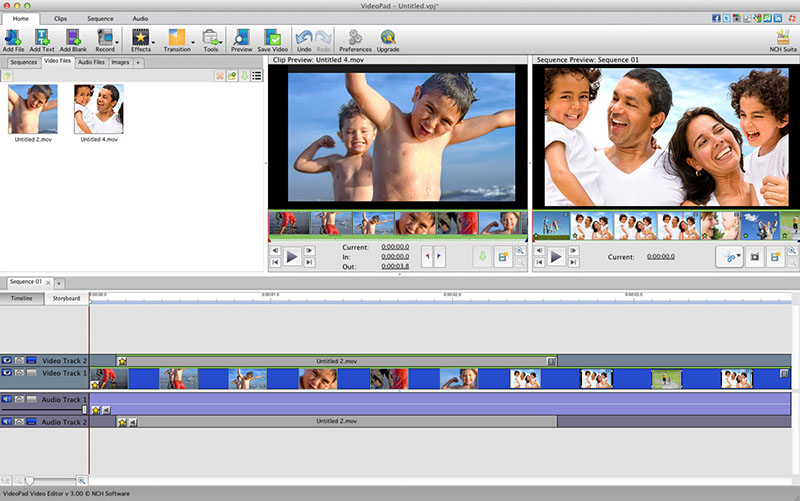 VideoPad is free video editing software for Mac. Create and edit professional quality videos whether you are combining several short video clips or working with just one video. Make movies you will be proud of and then burn them to DVD or share them online. Easily import and edit videos from a wide variety of sources supporting .mov, .avi, .wmv, .wmv, virtually any DV camcorder and more.
MAC | Freeware
Read More
VIDEOPAD VIDEO EDITOR FREE FOR MAC 17.57
Audio & Multimedia :: Video Tools
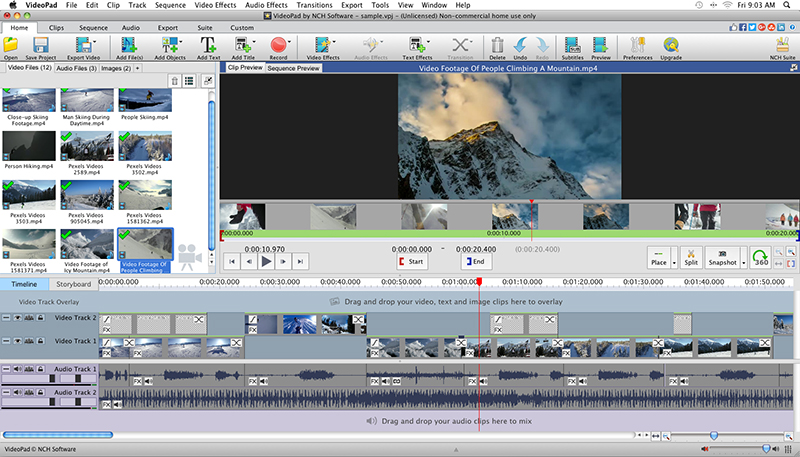 With VideoPad Free Video Editing Software for Mac, you can drag and drop files for easy video editing. You can also apply effects, transitions, speed adjustments, and more. VideoPad Free Editor is one of the fastest video stream processors available. You can capture video from several sources, including DV camera, VHS, webcam, or raw files. You can also use VideoPad Free to burn movies to DVD, share online, or post to video sites.
MAC | Freeware
Read More