


N5 Net Software Repository
Your one-stop for all your software needs.
Search N5 Net Software Repository:
Search Files
Sponsor:
Browse:
- Audio & Multimedia (1621)
- Business (4269)
- Communications (1275)
- Desktop (188)
- Development (613)
- Education (177)
- Games & Entertainment (714)
- Graphic Apps (690)
- Home & Hobby (107)
- Network & Internet (577)
- Security & Privacy (529)
- Servers (65)
- System Utilities (11779)
- Web Development (292)
Areas Of Interest
Authors Area
Are you a software author? Take a look at our Author Resource Center where you will find marketing tools, software specifically created for promoting your software and a ton of other helpful resources.
Wordaizer 3.6
(Click to Enlarge)
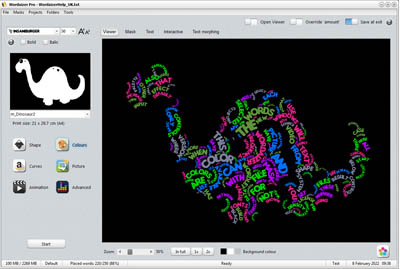
Where Wordle stops: from text to word cloud with a creative twist. Wordaizer creates attractive word clouds where the user has full control over size, color and shape. The word clouds can be printed and saved on hard disk. Shapes are fully controlled by applying shape masks; three different color engines are available, and many, many presets to get started right away. A popular setting can be saved as a project, for repeating later on. Here is the full feature list of Wordaizer: 1. Automated word cloud generation - easy control over size and shape - fonts and fontsize settings - 'surprise' button to create random word clouds - 3 different color selection methods - pictures as color source - save as scaleable vector format for infinite print size - bended words placement, wave, circular, crossword 2. Using masks to fully control the shape of the word cloud - pre-installed masks are provided - user generated masks on-the-fly - load and save masks for repeated use - special masks: using the transparency mask of PNG files 3. Post-processing - store the resulting picture on harddisk - print or post-process the pictures (using external bitmap editor) 4. Projects to save and repeat creating the same word cloud - pre-installed projects - save and load new or existing projects 5. Educational mode - simplified interface with key controls only for fast results - intuitive picture and mask/shape controls - hundreds of pre-installed color schemes, 80+ masks and transparent pictures 6. Easy workflow and intuitive interaction 7. Open system: the user can add more masks and projects 8. Multi-language support (EN, NL, D, F) 9. Web-update
Specifications:
Version: 3.6 |
Download
|

Similar Products:
Graphic Apps :: Other
 GEPlot is a Windows application for plotting contour lines (also known as isolines, isopleths or isarithms) and grids in KMZ or KML (Keyhole Markup Language) format for Google Earth. The input data can be ASCII (X, Y, Z format or Surfer GRD format) or Microsoft Excel as X, Y, Z columns.
GEPlot allows to produce grid and contour plots for any georeferenced variable, such as, for example, orography or land cover.
GEPlot is a Windows application for plotting contour lines (also known as isolines, isopleths or isarithms) and grids in KMZ or KML (Keyhole Markup Language) format for Google Earth. The input data can be ASCII (X, Y, Z format or Surfer GRD format) or Microsoft Excel as X, Y, Z columns.
GEPlot allows to produce grid and contour plots for any georeferenced variable, such as, for example, orography or land cover.
Windows | Commercial
Read More
Graphic Apps :: Other
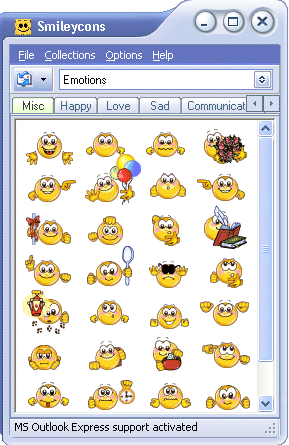 New Free Version! Free Smileys and emoticons. Use in Email, blogs, Forums, MySpace and Web Mail (like Yahoo, Hotmail and Gmail.) Includes the cutest smileys and emoticons on the web; Vista & Windows 7 compatible! Easy for beginners, extra features for advanced users.. Create your own handwritten signatures and add animations and images from the web too! Free Version is fully functional and never expires; register to add own images.
Windows | Freeware
Read More
Graphic Apps :: Other
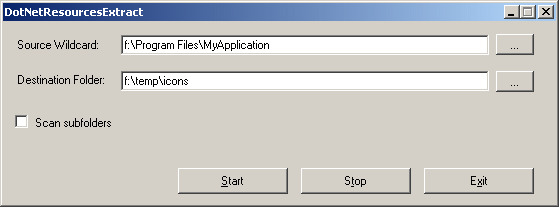 DotNetResourcesExtract is a small utility that scan dll/exe files of .NET applications, and extract all .NET embedded resources (Bitmaps, Gifs, HTML files, and so on) stored in them into the folder that you specify.
Windows | Freeware
Read More
APINSOFT JPG TO PDF CONVERTER 3.37
Graphic Apps :: Other
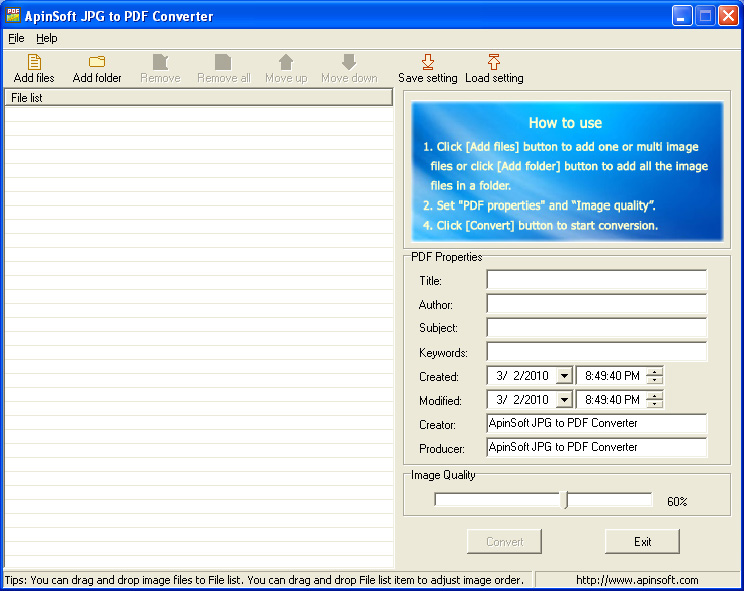 ApinSoft JPG to PDF Converter is an application that help you quickly convert image files (such as JPG, PNG, GIF, BMP, ICON, EMF, WMF, TIFF ) to a single PDF file.
The converted PDF file will contain all the image files added, and the images in the output PDF file will be in accordance with the order of the images added.
Does not require any Adobe Acrobat programs or Image Processing programs installed on your computer.
ApinSoft JPG to PDF Converter is an application that help you quickly convert image files (such as JPG, PNG, GIF, BMP, ICON, EMF, WMF, TIFF ) to a single PDF file.
The converted PDF file will contain all the image files added, and the images in the output PDF file will be in accordance with the order of the images added.
Does not require any Adobe Acrobat programs or Image Processing programs installed on your computer.
Windows | Shareware
Read More