


N5 Net Software Repository
Your one-stop for all your software needs.
Search N5 Net Software Repository:
Search Files
Sponsor:
Browse:
- Audio & Multimedia (1621)
- Business (4269)
- Communications (1275)
- Desktop (188)
- Development (613)
- Education (177)
- Games & Entertainment (714)
- Graphic Apps (690)
- Home & Hobby (107)
- Network & Internet (577)
- Security & Privacy (529)
- Servers (65)
- System Utilities (11779)
- Web Development (292)
Areas Of Interest
Authors Area
Are you a software author? Take a look at our Author Resource Center where you will find marketing tools, software specifically created for promoting your software and a ton of other helpful resources.
ID Process Manager 3.5
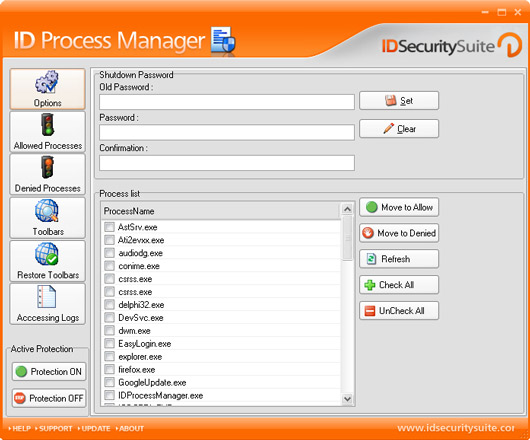
(Click to Enlarge)
ID Process Manager is a program designed to help you manage the status of all processes on your computer. It enables you to stop any process or to start a new one, protecting against intruders, including spyware and Trojans. Main Features: - Manages process status - Monitors and removes harmful processes - Protects against adware and Trojans - Deletes and blocks BHO - Secures your shutdown process under password Detailed features: - ID Process Manager monitors your computer's system in search for bad processes. Scans all processes and alerts you whenever a harmful one is attempting to influence your computer's health status. - Gives you the possibility of dividing processes in two major groups: Denied and Allowed. Using ID Process Manager, you can decide which processes will not be able to run on your computer ever again. - Protects your computer against viruses, spyware and Trojan which are malicious processes. ID Process Manager shows you exactly what processes are about to run on your computer, letting you deny unsolicited ones. - ID Process Manager further protects your computer by giving you the opportunity to password-protect your shutdown process. You can choose this option to prevent loss of unsaved information if a different user or application tries to shutdown your system. - Blocks and removes BHO (browser helper object). It also allows you to manage and block or unblock the explorer toolbar. - Safely scans processes in the background, changing the System Tray Icon when a problematic process is encountered. ID Process Manager switches the command line to all options, including the removal or eraser of the harmful process. - Provides a database of all processes and all of the Startup Items. It also gives you the opportunity to modify it, by closing down suspect processes or canceling items to run at startup. - Provides a registration section as well as a hint and help one.
Specifications:
Version: 3.5 |
Download
|

Similar Products:
Security & Privacy :: Other
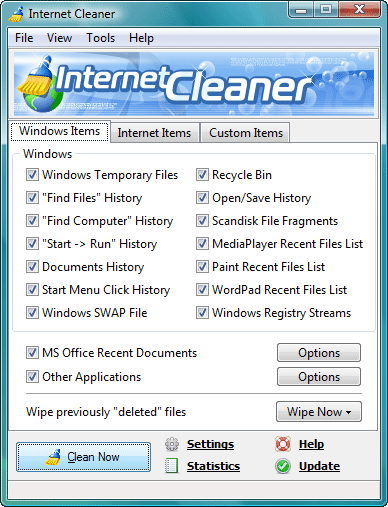 Internet Cleaner helps you remove all traces of your online and offline activity, including the list of recently visited sites, browser cache and cookies (IE, Firefox, AOL, MSN, Mozilla, Opera and Netscape Navigator are supported), lists of recent documents in various applications (MS Office, Paint, Media Player, WordPad, Acrobat Reader, ACDSee and more) and protect your privacy by erasing the traces of Messenger, Email, News, P2P programs.
Windows | Shareware
Read More
Security & Privacy :: Other
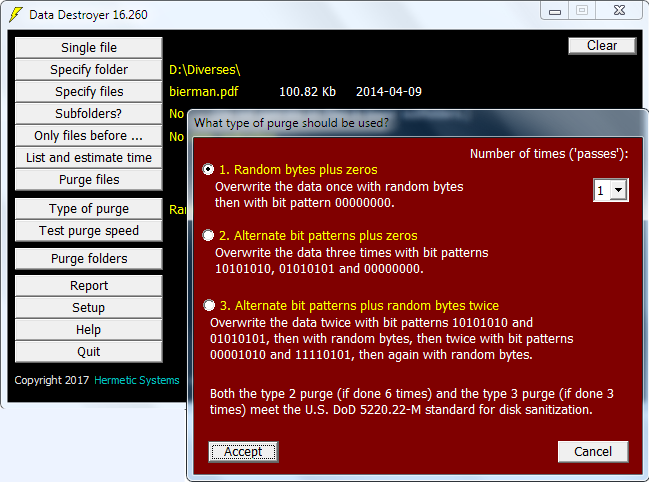 A program for secure file deletion which overwrites data in specified files so that the data cannot be recovered by any means. A single file can be purged or, in batch mode, multiple files. Selected subfolders of a folder can be purged. The user can specify the type of purge. Purge speed can be tested for an estimation of time required. Can wipe files older than a specified date. Can wipe files in the Windows 7 and 8 Recycle Bin.
Windows | Shareware
Read More
Security & Privacy :: Other
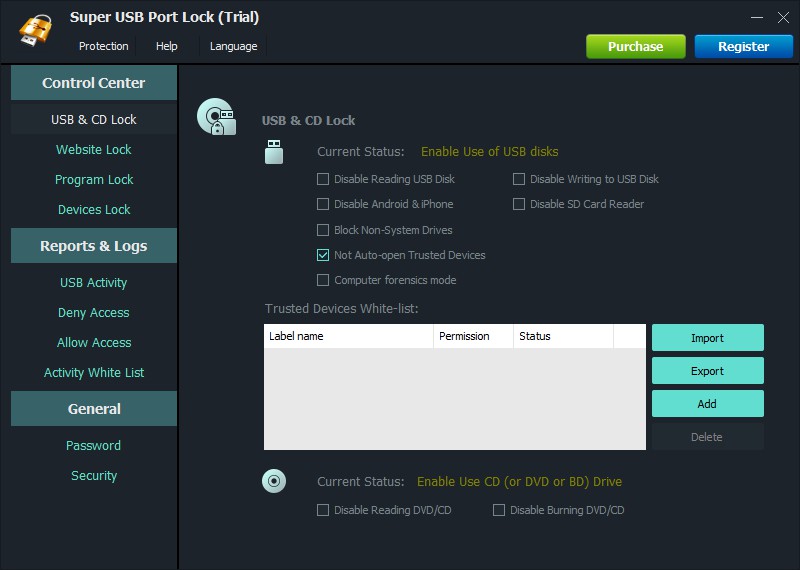 Super USB Port Lock prevents data leaks through devices like USB drives, phones, tablets and other devices that are attached to your computer. It also prevents data leaks through any websites and programs.
Windows | Shareware
Read More
Security & Privacy :: Other
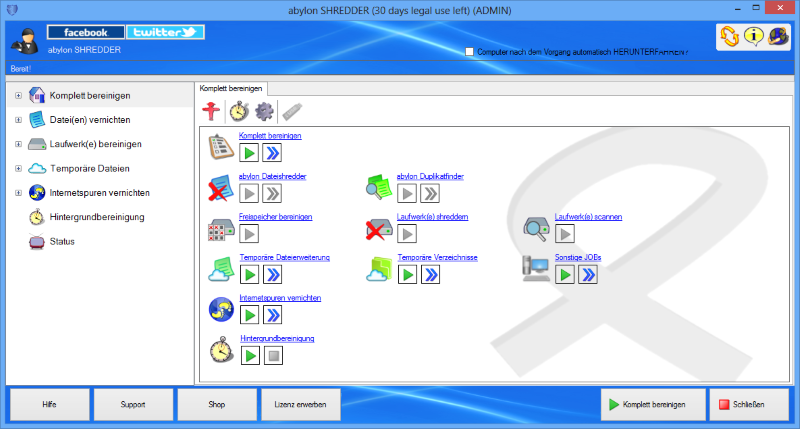 The deletion of files with the windows recycle bin removes only the references to the files, without real clearing. In contrast to this the software abylon SHREDDER overwrite the data up to 35 times (Peter Gutman method). Afterwards the data can not be reconstructed any longer. The same goes for free space, clustertips, surf traces of the browser, file names, duplicate files or full drives.
Windows | Shareware
Read More