


N5 Net Software Repository
Your one-stop for all your software needs.
Search N5 Net Software Repository:
Search Files
Sponsor:
Browse:
- Audio & Multimedia (1621)
- Business (4269)
- Communications (1275)
- Desktop (188)
- Development (613)
- Education (177)
- Games & Entertainment (714)
- Graphic Apps (690)
- Home & Hobby (107)
- Network & Internet (577)
- Security & Privacy (529)
- Servers (65)
- System Utilities (11779)
- Web Development (292)
Areas Of Interest
Authors Area
Are you a software author? Take a look at our Author Resource Center where you will find marketing tools, software specifically created for promoting your software and a ton of other helpful resources.
NetCrunch 8.2
Network & Internet :: Network Monitoring
(Click to Enlarge)
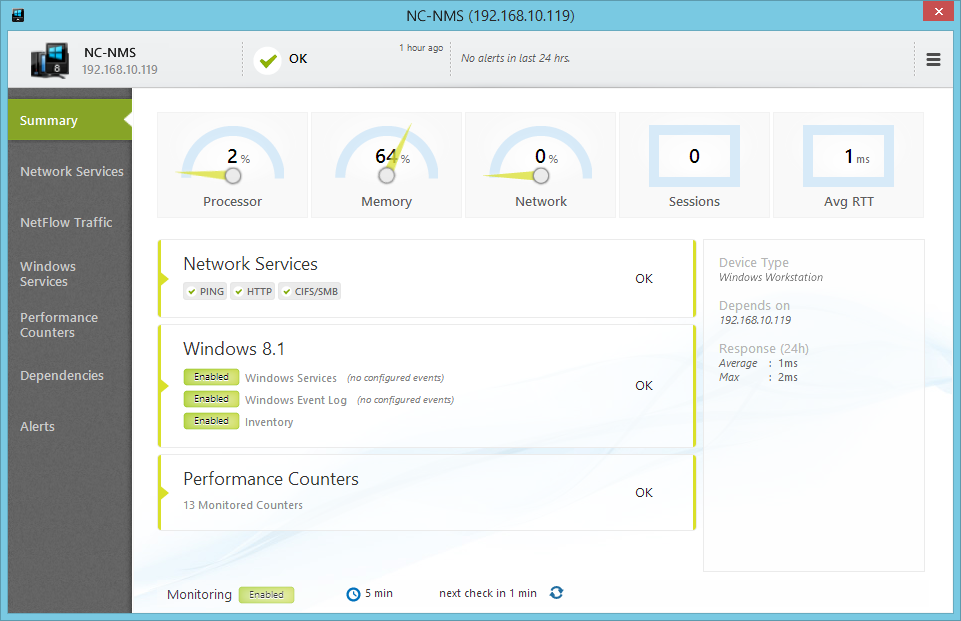
NetCrunch 8 is an all-in-one and agentless network monitoring and management system, capable of monitoring every device in your network. Monitor bandwidth, availability, performance, services, NetFlow and more. Automatically generate views and maps and real-time displays. Receive alerts via email, SMS, pop-up, or configure NetCrunch 8 to take automatic corrective actions like restarting a service or running a script. NetCrunch 8 monitors all leading operating systems like Windows, Linux, VMware ESX/ESXi, Mac OS X, and BSD. All without requiring agents or SNMP. NetCrunch 8 monitors the performance and availability of 65 network services, including Ping, HTTP/HTTPS, SSH, FTP, DNS, SMTP, and more. A Netflow traffic server is included, that integrates network traffic flow data from a range of devices using all popular protocols like: IPFix, NetFlow (v5 & v9), sFlow, JFlow, netStream, CFlow, AppFlow, and rFlow. NetCrunch 8 supports all SNMP versions including version 3 with support for version 3 traps. It uses the SNMP protocol to monitor routers, switches, printers, firewalls, sensors, and other network devices. Along with over 3500 included MIBs, NetCrunch 8 also features a MIB compiler so you can easily add new MIBs to the program library. Open Monitor gives you easy way to connect data from any source, be it an application or a device. It allows for the easy delivery of any counter data to NetCrunch 8. It can be a script (i.e, VBScript, PowerShell, Javascript) running on the NetCrunch Server or an application. Data can also be sent to NetCrunch 8 from any remote system simply using REST API. With over 100 predefined Monitoring Packs for operating systems and SNMP manageable network devices, NetCrunch 8 can identify, configure, and begin monitoring your network's devices out of the box. Baseline thresholds and range triggers learn your network and alert you to unexpected changes. Monitoring dependencies prevent alert floods.
Specifications:
Version: 8.2 |
Download
|

Similar Products:
Network & Internet :: Network Monitoring
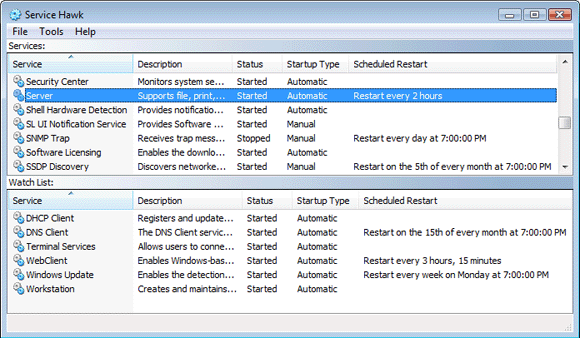 Don't risk losing money or valuable customers due to service failures! Keep your Windows Services running or restart them on a user-defined schedule. Service Hawk can periodically restart services on a user-defined schedule regardless of their state, ensuring that your services are running smoothly and stay operational. Often a service reports that it is "running" but is in a hung or frozen state. Scheduling an automatic restart is the solution!
Windows | Shareware
Read More
Network & Internet :: Network Monitoring
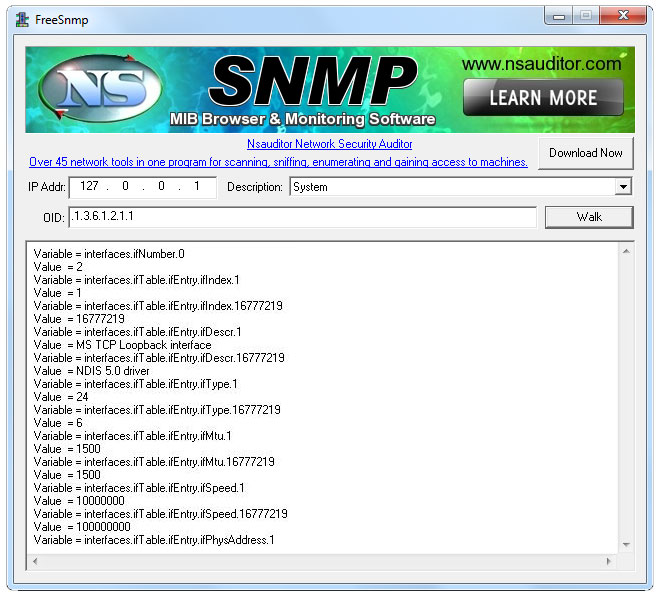 Free SNMP is mib browser and SNMP monitoring and management software. The software provides basic support for Simple Network Management Protocol (SNMP), allowing users to perform such tasks as viewing and browsing MIBs, performing Walk operation. The tool is designed with a user-friendly interface and is easy to use.
Windows | Freeware
Read More
Network & Internet :: Other
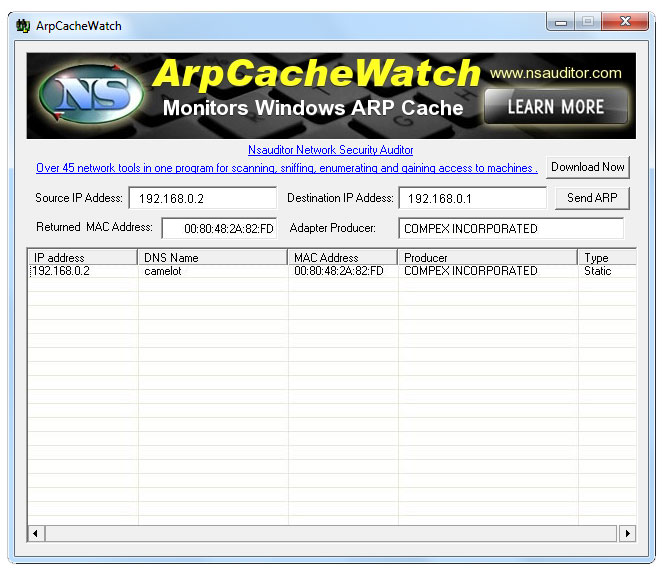 ArpCacheWatch monitors Windows ARP cache and allows to send an ARP request to obtain the physical address that corresponds to the specified destination IP address. The ARP cache contains IP/MAC translations so that every time an IP packet are to be sent, the MAC address doesn't have to queried through a broadcast, instead it can use the cached address.
Windows | Freeware
Read More
Network & Internet :: Network Monitoring
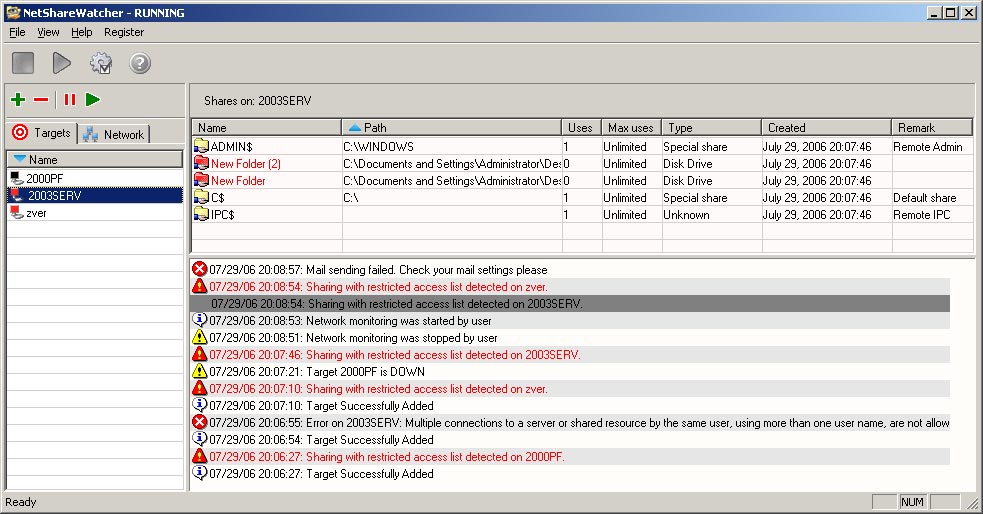 NetShareWatcher allows network administrators to monitor network shares and identify shares which are violating the data access policy of their organization. Once you configure it a first time, you can forget about network sharing problems. You only need to select restricted groups or users and NetShareWatcher will automatically detect network share with an access list containing those restricted groups and perform a configured action.
Windows | Shareware
Read More