


N5 Net Software Repository
Your one-stop for all your software needs.
Search N5 Net Software Repository:
Search Files
Sponsor:
Browse:
- Audio & Multimedia (1615)
- Business (4234)
- Communications (1267)
- Desktop (186)
- Development (607)
- Education (176)
- Games & Entertainment (710)
- Graphic Apps (685)
- Home & Hobby (106)
- Network & Internet (575)
- Security & Privacy (527)
- Servers (64)
- System Utilities (11758)
- Web Development (287)
Areas Of Interest
Authors Area
Are you a software author? Take a look at our Author Resource Center where you will find marketing tools, software specifically created for promoting your software and a ton of other helpful resources.
Pavtube MXF Converter for Mac 4.8.6.6
Audio & Multimedia :: Video Tools
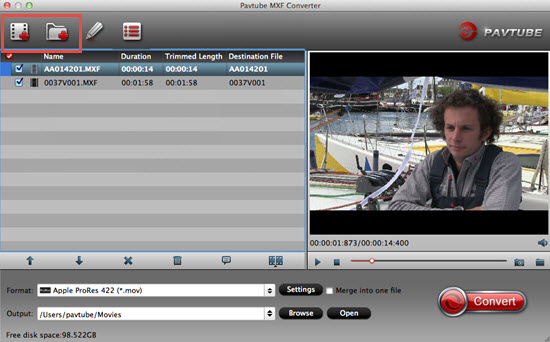
(Click to Enlarge)
A remarkable MXF video processor 1. Output almost all audio/video formats With Pavtube MXF Converter for Mac, you can get the desired audio formats (e.g. MP3, AAC, FLAC, OGG, WAV, M4A, DTS, AIFF, etc) and video formats (e.g. MP4, MOV, MKV, AVI, WMV, MPG, M4V, etc). 2. Various devices supported The output video formats can be supported by popular devices such as Apple/Android/Windows 8 devices, media players, game consoles, etc. Output video formats for NLE programs. 3. Output video formats for NLE programs Apart from those common video formats, Pavtube MXF Converter for Mac can also process MXF video files for better and free editing in NLE programs such as iMovie, FCP(6/7/X), FCE, Avid MC, Premiere Pro, DaVinci Resolve, etc. Create your favorite video 1. Trimming & cropping Get the MXF clip you want by trimming and cut off unwanted areas by cropping before conversion. The design of comparison video between the original and the output makes MXF video editing easier and precise. 2. Insert SRT/ASS/SSA subtitle Add SRT/ASS/SSA subtitle to your MXF video files and save as personal creation for better enjoyment. 3. Deinterlacing MXF for better enjoyment Add special video effects (e.g. simple laplacian sharpen gray, flip color, invert, aged film and deinterlacing). Experience a better and clearer video effect by deinterlacing. Customize MXF video files 1. Choose desired audio stream Pavtube MXF Converter for Mac allows you to choose one original audio track before conversion according to you need. 2. Adjust output settings You're allowed to adjust parameters such as video bitrate, frame rate, and video size according to your need. Pavtube MXF Converter for Mac will remember the changes and adjustment for future use.
Specifications:
Version: 4.8.6.6 |
Download
|

Similar Products:
VIDEOPAD FREE VIDEO EDITOR FOR MAC 17.57
Audio & Multimedia :: Video Tools
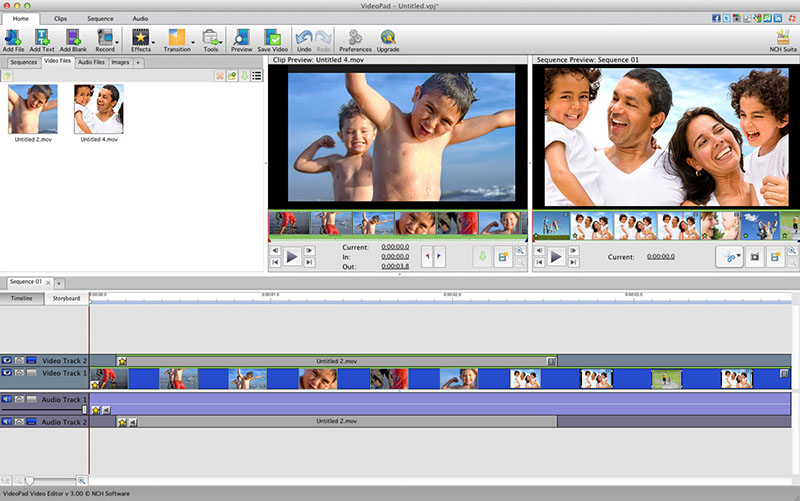 VideoPad is free video editing software for Mac. Create and edit professional quality videos whether you are combining several short video clips or working with just one video. Make movies you will be proud of and then burn them to DVD or share them online. Easily import and edit videos from a wide variety of sources supporting .mov, .avi, .wmv, .wmv, virtually any DV camcorder and more.
MAC | Freeware
Read More
VIDEOPAD VIDEO EDITOR FREE FOR MAC 17.57
Audio & Multimedia :: Video Tools
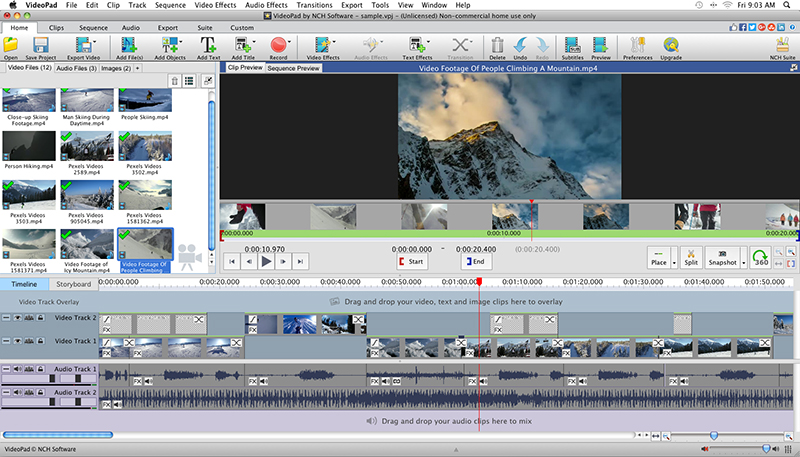 With VideoPad Free Video Editing Software for Mac, you can drag and drop files for easy video editing. You can also apply effects, transitions, speed adjustments, and more. VideoPad Free Editor is one of the fastest video stream processors available. You can capture video from several sources, including DV camera, VHS, webcam, or raw files. You can also use VideoPad Free to burn movies to DVD, share online, or post to video sites.
MAC | Freeware
Read More
TIPARD SCREEN CAPTURE FOR MAC 1.1.52
Audio & Multimedia :: Video Tools
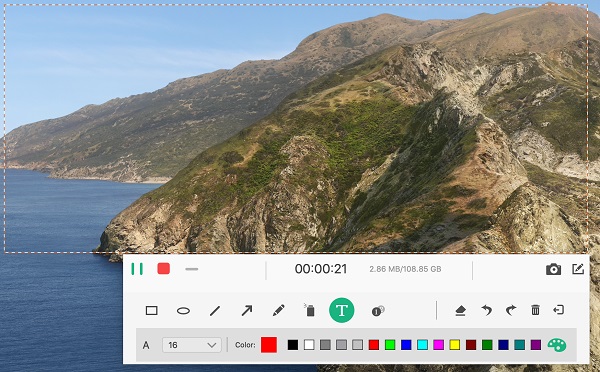 Tipard Screen Capture for Mac can record screen, video, audio on your Mac. It allows you to choose the screen size like full screen and customized size. You can also select the specific area to record. Meanwhile, you can choose the system audio or microphone audio according to your needs. Apart from that, it owns cursor options for you to choose like highlight cursor or clicks or both of them.
MAC | Shareware
Read More
PHOTOSTAGE PRO EDITION FOR MAC 12.11
Audio & Multimedia :: Video Tools
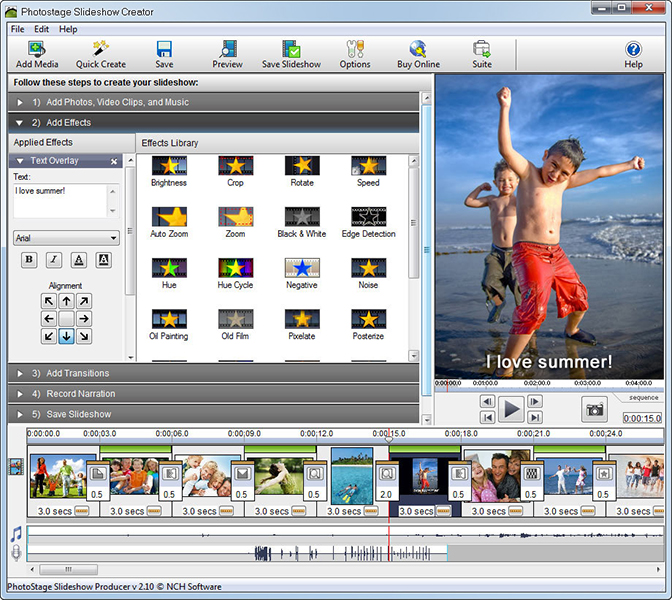 Easily put together a slideshow from your digital photos on your Mac with PhotoStage Pro. Easily add music, video clips and narration. Use Quick Create feature on a folder of images or drag and drop images into your slideshow. Apply effects such as crop, fade, crossfade, zoom and more. Burn your slideshow to DVD, create video file for sharing on the web, or save it to your portable devices.
MAC | Shareware
Read More